



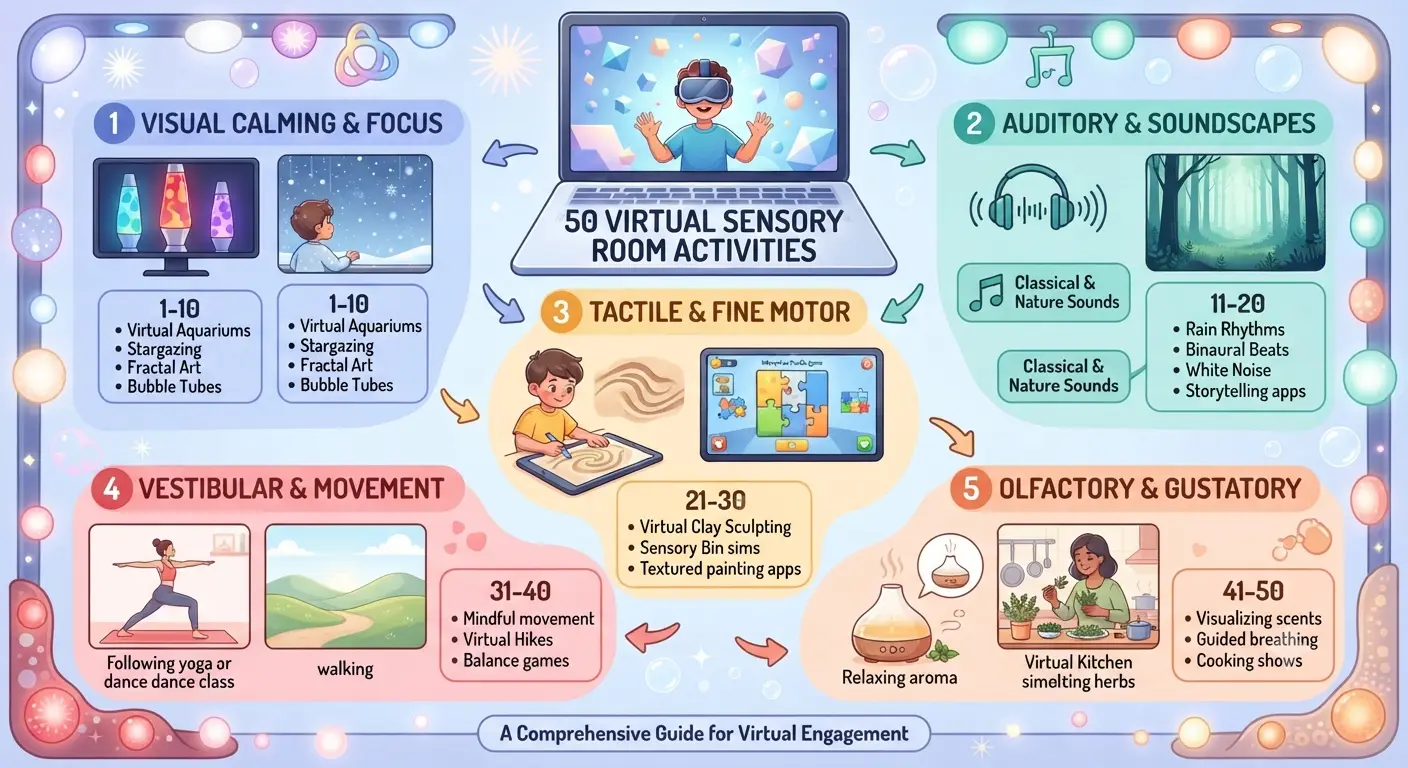
What Are Virtual Sensory Room Activities?
Virtual sensory room activities are interactive, web-based digital experiences—such as calming visual simulations, ambient audio, and guided movement breaks—designed to help children regulate their nervous systems, reduce sensory overload, and improve emotional focus online.
💡 Expert Tip: Combine visual virtual sensory room activities with tactile tools (like weighted lap pads or fidget toys) to create a multi-sensory regulation station at home or in class.
Best Virtual Sensory Room Activities for Home and Classroom
Digital sensory breaks can be categorized by their sensory goal: calming overstimulated children or alerting under-stimulated learners. Below is a structured breakdown of the primary activity types.
Overview of Virtual Sensory Room Activities by Category
| Category | Target Benefit | Popular Examples | Ideal Duration |
|---|---|---|---|
| Visual Calming | Reduces visual stress & anxiety | Virtual lava lamps, aquarium streams, fluid art simulators | 5 – 10 minutes |
| Auditory & White Noise | Blocks distracting noise & aids focus | Binaural beats, rain/ocean sounds, soft piano streams | 10 – 20 minutes |
| Interactive / Movement | Provides heavy work & proprioceptive input | Guided yoga animations, breathing bubbles, dance breaks | 3 – 7 minutes |
| Mindfulness & Breathing | Lowers heart rate & promotes self-regulation | 4-7-8 breathing timers, star tracing, meditative mazes | 3 – 5 minutes |
How to Integrate Virtual Sensory Rooms Into Daily Routines
Occupational therapy guidelines from the American Occupational Therapy Association (AOTA) emphasize that structured sensory breaks throughout the day help prevent emotional meltdowns and maintain optimal arousal states for learning.
To build a balanced sensory plan, combine digital breaks with physical oral-motor and motor-planning exercises. Learn more in our detailed guides on Chewing Oral Motor Difficulties: Signs, Causes & Therapy and explore additional sensory-building strategies on Melveno Books Resources.
50 Ideas for Virtual Sensory Room Activities
1. Visual Sensory Activities
| No. | Activity | Description |
|---|---|---|
| 1 | Bubble Visuals | Watch floating bubble animation |
| 2 | Ocean Wave Screen | Slow ocean wave videos |
| 3 | Galaxy Projection | Moving stars across ceiling |
| 4 | Lava Lamp Visual | Slow colorful lava flow |
| 5 | Color Changing Lights | LED lights shifting colors |
| 6 | Rainbow Light Show | Project rainbow patterns |
| 7 | Firefly Light Animation | Flickering firefly lights |
| 8 | Aquarium Fish Video | Swimming fish visuals |
| 9 | Floating Cloud Video | Slow moving clouds |
| 10 | Snowfall Animation | Gentle falling snow visuals |
2. Auditory Sensory Activities
| No. | Activity | Description |
|---|---|---|
| 11 | Ocean Sound Listening | Relaxing wave sounds |
| 12 | Rain Sound Therapy | Soft rain audio |
| 13 | Forest Nature Sounds | Birds and wind sounds |
| 14 | Instrumental Music | Calm background music |
| 15 | White Noise | Gentle static sound |
| 16 | Chime Listening | Wind chime sounds |
| 17 | Heartbeat Rhythm | Slow rhythmic sound |
| 18 | Waterfall Audio | Flowing water sound |
| 19 | Soft Drum Beats | Low rhythmic beats |
| 20 | Story Listening | Calm storytelling session |
3. Interactive Digital Activities
| No. | Activity | Description |
|---|---|---|
| 21 | Virtual Balloon Pop | Touch screen to pop balloons |
| 22 | Touch Light Board | Lights respond to touch |
| 23 | Motion Light Game | Lights change when child moves |
| 24 | Interactive Star Catch | Catch stars on screen |
| 25 | Sound Activated Lights | Lights respond to sound |
| 26 | Digital Painting | Draw colors on screen |
| 27 | Bubble Chase Game | Follow bubbles across screen |
| 28 | Fish Feeding Game | Tap to feed digital fish |
| 29 | Shape Matching | Match shapes on screen |
| 30 | Color Sorting Game | Sort colors virtually |
4. Movement and Proprioceptive Activities
| No. | Activity | Description |
|---|---|---|
| 31 | Animal Movement Game | Imitate animal movements |
| 32 | Stretch with Visual Guide | Follow stretching animation |
| 33 | Yoga with Nature Scene | Simple yoga poses |
| 34 | Slow Dance Movement | Move slowly with music |
| 35 | Follow the Light | Move body toward moving lights |
| 36 | Balance Activity | Stand on cushion while watching visuals |
| 37 | Mirror Movement | Copy movements on screen |
| 38 | Jumping to Music | Gentle jumping activity |
| 39 | Freeze Dance | Dance then freeze when music stops |
| 40 | Shadow Movement Play | Move body to create shadows |
5. Calm Down and Emotional Regulation Activities
| No. | Activity | Description |
|---|---|---|
| 41 | Breathing Circle | Follow expanding breathing circle |
| 42 | Star Breathing | Breathe slowly while watching stars |
| 43 | Calm Ocean Meditation | Watch ocean while breathing slowly |
| 44 | Guided Relaxation | Listen to relaxation instructions |
| 45 | Emotion Color Matching | Match colors to feelings |
| 46 | Calm Down Countdown | Visual countdown to relax |
| 47 | Guided Imagery | Imagine peaceful place |
| 48 | Quiet Reflection Time | Sit quietly with calming visuals |
| 49 | Gentle Light Watching | Focus on slow changing lights |
| 50 | Gratitude Moment | Think of happy memories |
Tips for Using These Activities
1. Keep Sessions Short 5–15 minutes is ideal.
2. Avoid Too Many Stimuli: Use 1 visual + 1 sound at a time.
3. Observe Child Response: Some children prefer visual input, others prefer movement or sound.
4. Create Routine: Example sensory break routine:
| Step | Activity |
|---|---|
| 1 | Breathing exercise |
| 2 | Visual calming video |
| 3 | Interactive sensory game |
| 4 | Relaxation |
Example 15-Minute Virtual Sensory Session
| Time | Activity |
|---|---|
| 3 min | Breathing circle |
| 4 min | Bubble watching |
| 4 min | Balloon pop game |
| 4 min | Ocean wave relaxation |
Frequently Asked Questions
What are virtual sensory room activities?
Virtual sensory room activities are interactive digital tools, videos, and ambient simulations designed to help children regulate their sensory systems, reduce anxiety, and improve focus.
Are virtual sensory rooms beneficial for children with autism and ADHD?
Yes. Virtual sensory tools offer controlled visual and auditory input that allows children with autism, ADHD, or sensory processing differences to decompress without sensory overload.
How long should a child spend in a virtual sensory break?
Most occupational therapists recommend short 3 to 10-minute sessions to help re-center focus without causing excessive screen fatigue.
Do you need expensive equipment to set up a virtual sensory room?
No. A simple tablet, computer, or interactive whiteboard connected to the internet is all that is required to access free virtual sensory room tools.